OBDeleven – OBD2 car scanner
- 4.4
- Rating
- 500.00K
- Installs
- Free
- Price

 Analysis by App-foxy
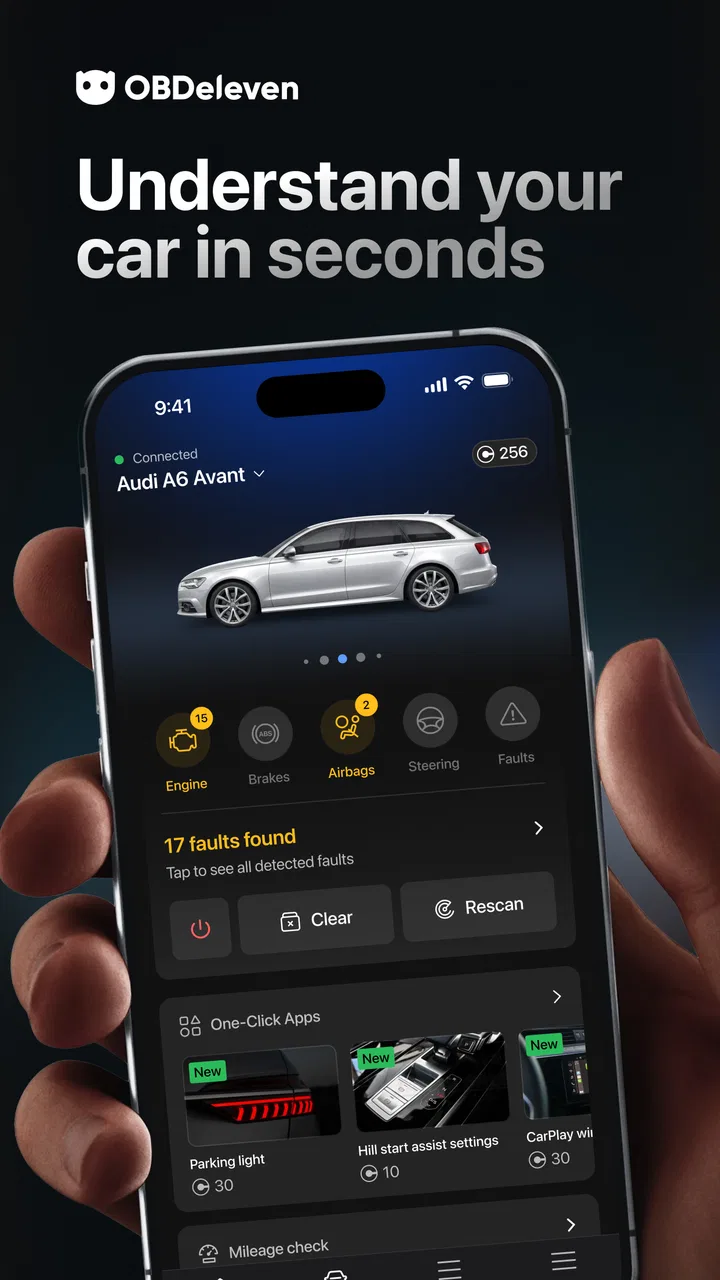
I approached OBDeleven – OBD2 car scanner as a practical workshop tool rather than a simple dashboard accessory. It is a free tools app from OBDeleven, aimed at diagnosing, coding, and customizing compatible vehicles from brands such as Volkswagen, BMW, Toyota, Ford, and Mercedes. That broad vehicle focus is its biggest attraction, but it also creates an important condition: the useful experience depends heavily on your car, the functions supported for that vehicle, and the hardware or paid options you choose.
In everyday terms, this is for someone who wants more information than a warning light alone provides. Instead of immediately visiting a garage for every electronic fault, I can use the app as a first step to understand what the car is reporting. The appeal is not just reading a code; it is having a more direct way to investigate the vehicle, make selected changes, and decide whether a problem looks minor, urgent, or better left to a professional.
What using OBDeleven feels like in real ownership
The app sits in an interesting space between a basic OBD reader and professional diagnostic equipment. A simple reader usually gives me fault codes and little context. Professional workshop systems can go much deeper, but they are expensive, complicated, and often excessive for a private owner. OBDeleven tries to make vehicle diagnostics approachable while retaining functions that are more advanced than a generic code scanner.
You May Also Like

 Blood Strike: 2.5 Anniversary
Blood Strike’s Loadouts Turn Every Drop Into a Tactical Gamble
A close look at Blood Strike’s custom loadouts: how fast access to signature weapons reshapes its battle royale rhythm, rewards preparation, and narrows the gap between fights.

 Pandora - Music & Podcasts
Pandora’s Music Is Easy to Start, but Harder to Recover
Pandora’s strength is its low-effort path from a seed to a station. Its weak spot is how much confidence it asks you to place in connection, setup, and quiet recovery.

 8 Ball Pool
 Is Built on Rivalries, Rematches, and Routine
A close look at the rivalries, rematches, shared routines, and unanswered safety questions that turn a quick pool match into a persistent mobile community.

 Samsung Music
’s Quiet Strength Is Playing What You Already Own
Its reach comes less from spectacle than from dependable access to a personal library. That simplicity is both the app’s strongest retention engine and its ceiling.

 AccuWeather: Weather Radar
AccuWeather Review: A Quick, Clear Forecast for Everyday Decisions
For everyday plans, the best forecast is the one you can understand quickly. AccuWeather makes rain timing, radar, and local conditions easy to act on, with a few trade-offs.

 Hill Climb Racing
Why Hill Climb Racing Still Turns Crashes Into One More Run
A tiny car, a bumpy hill and one more upgrade: Hill Climb Racing keeps resurfacing because its simple chaos makes every near-miss feel personal.
More From Our News Desk



That balance is useful when I am buying a used car, checking a vehicle before a long trip, or trying to understand why a warning has appeared. I can gather information before speaking to a mechanic instead of describing the problem only from a dashboard symbol. It can also help an enthusiast who enjoys adjusting vehicle behavior, provided that person understands that coding is not the same as casually changing a phone setting.
The app is listed for everyone, and it runs on Android from version 8.0 onward. That makes it accessible to many phone owners, although compatibility with the phone is only one part of the equation. The car, connection method, supported functions, and account setup all matter too. I would check those points before buying any accessory or committing to a paid function.
Its current release is version 2.9.0, and the app has passed the half-million-install mark. Those details suggest that this is not an obscure experiment, but popularity should not be confused with universal compatibility. A tool designed around several vehicle manufacturers can still behave very differently from one model generation to another.
Why the developer matters when the app can change vehicle settings
OBDeleven is developed by OBDeleven, which gives the product a clearer identity than an anonymous code-reading utility. That matters to me because an app that can inspect or modify vehicle systems deserves more trust than one I would use casually and forget. I want to know which actions I am taking, what the app is asking me to confirm, and whether I can stop before applying a change.
The public store profile shows an average rating of 4.4 from around 4.3 thousand ratings, with more than a hundred written reviews. I read that as a generally positive signal, not a guarantee that every car will deliver the same results. Diagnostic apps attract users with very different expectations: one person may only want to clear a warning, while another expects dealer-level access to every module.
That difference in expectations is central to judging the app fairly. It is not enough to ask whether it “works.” The better question is whether it fits the job. For basic engine-code reading, a cheaper conventional scanner may be sufficient. For supported vehicles where coding and customization are important, this app can make more sense than a generic reader.
A realistic driveway scenario
Imagine that my car displays an intermittent warning shortly before a weekend journey. I would not treat the app as permission to ignore the warning. I would connect it, inspect the available diagnostic information, and note the code and conditions before clearing anything. If the issue points toward a serious system, I would take that information to a mechanic. If the warning appears to be historical or caused by a resolved event, I would still monitor the car rather than assuming the problem has disappeared.
That workflow is more valuable than pressing a “clear” button immediately. Clearing a code can remove useful evidence, and it does not repair the cause. My preferred sequence is to scan, record what appears, take a screenshot or written note for my own records, and only then consider resetting a warning when I understand the trade-off.
The same cautious approach applies to customization. Before changing a setting, I would record the original state, change one thing at a time, and test the vehicle in a safe, ordinary situation. If a modification affects lighting, locking, driver assistance, or another system tied to road safety, I would be especially conservative. Convenience is never a good reason to lose track of the factory behavior.
Where the app offers more than a basic scanner
The strongest distinction is the combination of diagnosis, coding, and customization in one vehicle-focused app. A basic scanner can be useful for identifying a fault, but it usually does not give an enthusiast the same path into supported configuration options. OBDeleven is more interesting when I want to understand the car and make a carefully considered adjustment, not merely read a single engine code.
There is also a practical benefit in keeping a diagnostic history in my own notes. I can compare what the car reported before and after maintenance, which may help me explain a recurring issue. I would not treat those notes as a substitute for service records, but they can make conversations with a workshop more precise.
A less obvious advantage is that the app can help me decide when not to experiment. If a desired change is unavailable for my vehicle, that limitation is useful information. It prevents me from assuming that an online tutorial for one model will apply to another. Vehicle coding is full of exceptions, and the safest result is sometimes leaving a setting untouched.
The connection and compatibility questions I would settle first
Before using the app, I would confirm the exact vehicle model, year, equipment level, and supported connection hardware. The broad list of manufacturers is helpful, but brand support alone does not promise that every module or customization is available. Two cars from the same manufacturer can expose different functions because of their electronics, trim, region, or software configuration.
I would also avoid assuming that the free download means every important operation is free. The app itself costs nothing to install, while in-app purchases range from a few dollars to several hundred dollars per item. That is a substantial range, so I would inspect the price and purpose of a function before approving a purchase. The right question is not “Is the app free?” but “What will my specific diagnostic goal cost?”
This is one of the clearest cases where a conventional scanner may be the better choice. If I only need occasional engine fault-code reading and do not care about coding, paying for advanced functions may not be worthwhile. On the other hand, if I already maintain a compatible vehicle and expect to use customization or deeper diagnostics repeatedly, the broader toolset may justify the investment.
Trust begins with visible choices, not promises
When I use any app connected to a car, I pay attention to the choices presented during setup and operation. I look for clear explanations before connecting, understandable confirmation steps before changes are applied, and a straightforward way to cancel an action. Those are practical signs of user control because they let me decide what happens instead of pushing me through an opaque process.
I also prefer to separate diagnostic work from casual browsing. I would connect only when the vehicle is parked safely, keep the phone charged, and avoid starting a scan while driving. That sounds obvious, but the risk is not only technical. A distracted driver can turn a helpful tool into a safety problem.
Account controls matter as well. I would use an account that I can access and manage myself, keep purchase decisions deliberate, and review any sign-in or device prompts rather than approving them automatically. If I share a car with family members, I would agree on who is allowed to apply coding changes. A shared vehicle benefits from shared records, especially when one person’s customization could confuse another driver.
I do not see a reason to treat a diagnostic app as harmless simply because it is in the tools category. It interacts with information from a vehicle and may support actions with real consequences. My trust comes from slowing down at the moments that matter: installation, connection, purchase, diagnosis, and confirmation of a change.
Data-sensitive moments during normal use
The most sensitive part of using a connected car tool is not necessarily the scan itself; it is the surrounding account and device activity. I would pay attention to what the app asks for, which vehicle details I enter, and whether I am comfortable retaining those details in an account. I would also avoid entering information that is unrelated to the diagnostic task.
On a shared phone, I would consider who can open the app and view the connected vehicle. On a shared car, I would consider who can use the account and whether purchase access should be protected. These are ordinary household concerns, but they are particularly relevant when an app combines vehicle identity, diagnostic history, and settings that may affect how the car behaves.
I would keep the app and phone operating system maintained, use a screen lock, and remove old vehicle connections from my personal routine when I no longer own or regularly use a car. Those steps do not replace reading the app’s own privacy and account controls, but they reduce avoidable exposure on my side.
Another useful habit is not to publish diagnostic screenshots without checking them first. A screenshot can contain more vehicle detail than I intended to share. If I ask an online community for help, I would crop or obscure identifying information and describe the symptom separately. That gives me advice without turning every troubleshooting attempt into a public record.
Where beginners can get into trouble
The main learning curve is not installing the app; it is understanding the difference between information and intervention. Reading a fault is investigative. Coding or customizing can change behavior. I would never apply a setting merely because it appears in a guide for a similar car, and I would not assume that restoring a previous value will always undo every consequence.
Power stability is another practical concern. I would not begin a long diagnostic or coding session with a weak vehicle battery, and I would avoid interrupting a process. If the car is already showing electrical symptoms, I would treat that as a reason for extra caution rather than a reason to experiment more aggressively.
I would also resist clearing faults repeatedly just to make the dashboard look normal. A warning that returns is information. Repeatedly erasing it can make the eventual diagnosis harder, particularly if I cannot tell a mechanic when the code first appeared or under what conditions.
For a first session, I would keep the goal narrow. Scan the vehicle, understand the results, and leave customization for another day. This staged approach gives me time to learn the interface and prevents several unrelated changes from making it impossible to identify what caused a new behavior.
Who will appreciate it, and who should skip it
I think the app is best suited to owners who are comfortable learning basic vehicle terminology, keeping notes, and accepting that compatibility must be checked carefully. It is also a good fit for people who want more involvement than a generic scanner provides, especially when their supported car offers meaningful coding or customization options.
It is less suitable for someone who wants a guaranteed diagnosis in plain language with no technical decisions. If a warning light is accompanied by poor braking, overheating, unusual steering, smoke, or another serious symptom, I would stop treating the app as the solution and seek professional help. The app can provide context, but it cannot replace physical inspection or repair.
I would also skip it if my only requirement is occasional, inexpensive code reading. A simple scanner may be easier to understand, involve fewer account decisions, and cost less overall. The extra capabilities here become valuable only when I actually need them and when my vehicle supports them.
My cautious verdict after weighing control and value
OBDeleven is a capable idea for drivers who want to bridge the gap between a basic OBD2 reader and professional workshop equipment. I like that it brings diagnosis, coding, and customization into a single tools app, and I find the broad manufacturer focus appealing for enthusiasts and hands-on owners. The free entry point makes it easy to investigate whether the app fits a particular vehicle.
My reservation is that the word “free” describes the download, not necessarily the complete experience. In-app purchases can extend from $2.99 to $314.99 per item, so I would never buy first and check compatibility later. I would identify my exact car, define the task, review the available option, and decide whether the result is worth the cost.
The app earns my recommendation with conditions rather than enthusiasm without limits. Use it as a careful diagnostic aid, keep control of your account and purchases, record the original state before changing anything, and treat serious symptoms as workshop territory. For the right compatible vehicle, it can be a genuinely useful companion. For a driver seeking a simple code reader or a risk-free way to modify a car, a more limited alternative may be the wiser choice.
Overall, I would recommend trying it when I have a clear reason to need its deeper functions, not simply because it has a large feature list. Its average rating of 4.4 and more than 500 thousand installs show that many users find value in the approach, while the real test remains personal: whether the supported functions, visible controls, and total purchase cost make sense for my car and my level of confidence.
FAQs for OBDeleven – OBD2 car scanner
01What is OBDeleven – OBD2 car scanner used for?
OBDeleven is a vehicle diagnostic app that works with a compatible Bluetooth OBD2 device to communicate with a car’s electronic control units. It can read and clear certain fault codes, display live data, provide basic vehicle information, and, depending on the car and subscription, offer coding, adaptations, service functions, and one-click customizations. Available features vary by manufacturer, model, year, and hardware.
02Is OBDeleven compatible with every car?
No. OBDeleven is not equally compatible with every vehicle. Its most advanced functions are generally focused on supported Volkswagen Group brands, while other makes may offer more limited OBD2 diagnostics. Compatibility depends on the vehicle’s model year, engine, control modules, region, and the OBDeleven device generation. Before downloading or purchasing hardware, check the official compatibility information for your exact car.
03Do I need an OBDeleven device to use the app?
Yes, the app normally requires a compatible OBDeleven diagnostic device connected to the vehicle’s OBD2 port. The phone application alone cannot scan the car or access its control modules. You also need a compatible Android or iOS smartphone, Bluetooth enabled, and a vehicle with a supported diagnostic connection. Some functions may require an active internet connection, account, credits, or a paid plan.
04Can OBDeleven damage my car or change important settings?
Using OBDeleven for ordinary diagnostics is generally designed to be safe, but coding, adaptations, and control-unit changes should be approached carefully. Incorrect settings, interrupted procedures, low vehicle battery voltage, or unsupported modifications can create warning lights or affect vehicle functions. It is wise to save original values, follow the app’s instructions, avoid experimenting on safety-critical systems, and seek professional help when unsure.
05Is OBDeleven free, or are there additional costs?
The app can be downloaded without paying, but the complete experience may involve several additional costs. You typically need to purchase a compatible OBDeleven device, and some advanced tools require a subscription, credits, or a specific plan. Pricing and feature availability can differ by platform, vehicle brand, country, and promotion. Review the current in-app pricing and supported functions before buying credits or subscribing.
Pros
- Clear live data and fault-code explanations for easier diagnosis.
- Supports service resets and coding on many compatible vehicles.
- Wireless adapter is compact and simple to connect to a phone.
- Trip and vehicle monitoring tools help track car performance.
- Regular updates expand compatibility and improve app stability.
Cons
- Advanced coding features often require a paid plan or credits.
- Compatibility varies significantly by vehicle model
- year
- and equipment.
- Some commands may take time to execute or fail without clear reasons.
- The adapter must remain connected for many monitoring features to work.
- Incorrect coding changes could cause vehicle issues if used carelessly.

OBDeleven – OBD2 car scanner
Gallery